
THE TECH HUB
Your Hub. Your Ideas.
The Tech Hub is your campus space to explore media, making, and gaming. From podcasts to 3D prints, we give you the tools and support to bring your ideas to life. Find us in the Walb Student Union, Room 220.
Tech Hub Studio
3D Print Lab
Game Lab
THE TECH HUB STUDIO
Your project deserves a studio —use ours.
The Tech Hub helps PFW students, faculty, and staff create high-quality media for classes, organizations, and personal projects. Get support with video, audio, editing, and basic design, or reserve the production studio for interviews, podcasts, music, and presentations.
Check out cameras, lenses, tripods, and audio gear with your Mastodon Card (2-day checkout).
Our team helps you plan, record, and complete your project.
We have workstations available for walk-in users. Black-and-white and color printing options are also available.
Additional Apple computer labs are on the second floor of Helmke Library; the Visual Arts Building, Room 205; and Neff Hall, Room B73.
Please set up a consultation with us for assistance with your audio-visual projects. Basic training is available for A/V equipment, graphic-design software, and video editing.
Regular Hours
Monday – Friday: 9 a.m.–5 p.m.
Saturday – Sunday: Closed
Summer Hours
Monday–Thursday: 9 a.m.–5 p.m.
Friday – Sunday: Closed
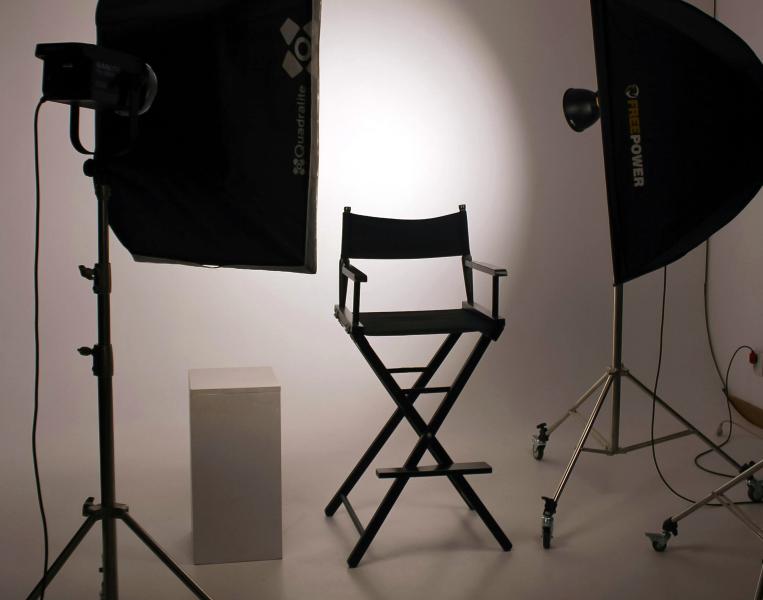
The Tech Hub Studio is now a reservable studio space! With both basic and advanced setups, there are three color backdrops, including a chroma green so you can add your custom digital backgrounds. A teleprompter, professional lighting, overlay graphics, a Canon R10, and other cameras are also available.
Faculty are welcome to schedule orientations or class visits to learn about the Tech Hub's resources as well.
Adobe Creative Cloud
- Photoshop
- Illustrator
- InDesign
- Premiere Pro
- After Effects
Apple Pro Apps
- Final Cut Pro
- Motion
- Compressor
- Logic Pro
AutoDesk
- AutoCAD
- Maya
- Mudbox
Blackmagic Design
- DaVinci Resolve
Microsoft 365
- PowerPoint
- Word
- Excel
Walb Student Union, Room 220
[email protected]
260-481-0114
We have workstations available for walk-in users. Black-and-white and color printing options are also available.
Additional Apple computer labs are on the second floor of Helmke Library; the Visual Arts Building, Room 205; and Neff Hall, Room B73.
The Tech Hub Studio is now a reservable studio space! With both basic and advanced setups, there are three color backdrops, including a chroma green so you can add your custom digital backgrounds. A teleprompter, professional lighting, overlay graphics, a Canon R10, and other cameras are also available.
Faculty are welcome to schedule orientations or class visits to learn about the Tech Hub's resources as well.
Please set up a consultation with us for assistance with your audio-visual projects. Basic training is available for A/V equipment, graphic-design software, and video editing.
Adobe Creative Cloud
- Photoshop
- Illustrator
- InDesign
- Premiere Pro
- After Effects
Apple Pro Apps
- Final Cut Pro
- Motion
- Compressor
- Logic Pro
AutoDesk
- AutoCAD
- Maya
- Mudbox
Blackmagic Design
- DaVinci Resolve
Microsoft 365
- PowerPoint
- Word
- Excel
Regular Hours
Monday – Friday: 9 a.m.–5 p.m.
Saturday – Sunday: Closed
Summer Hours
Monday–Thursday: 9 a.m.–5 p.m.
Friday – Sunday: Closed
Walb Student Union, Room 220
[email protected]
260-481-0114
THE TECH HUB 3D PRINT lab
Where Your Imagination Takes Shape with 3D Printing Right on Campus!
The Tech Hub 3D Print Lab is open to all students, offering access to 3D printing services. It's important to note that printing costs are deducted from each student's PaperCut printing allowance, with charges based on the printed object's weight and material type—the heavier and more specialized the material, the higher the cost. Students can customize their 3D prints by selecting the design, color, and material. Before printing, a detailed price quote is provided to ensure transparency about the cost.
- Faculty, staff, and students will not be permitted to use the 3D printers to create materials and/or objects that are any of the following:
- Prohibited by local, state, or federal law
- Unsafe, harmful, dangerous, or obscene
- In violation of intellectual property rights (e.g., the printers cannot be used to produce copyrighted, patented, or trademarked material)
- Resemble weapons of any kind.
- The 3D print lab reserves the right to refuse any 3D print request.
- Printed items not picked up within 10 business days become the property of the 3D print lab for display purposes; items must be picked up by the individual who requested them.
- Prints often require support material to be printed. Supports are the responsibility of the 3D print technicians to remove (unless otherwise noted). Any other finishing touches (e.g., sanding, painting, and assembling) are the requester’s responsibility.
- Users must submit complete files ready for 3D printing.
- All requests must be done via web submission, with a valid university account.
- Users will see increased wait times at the end of each semester due to increased demand volume—we recommend submitting requests ahead of this time frame.
Begin the printing process by submitting a request using the website submission form. The standard file types for 3D printing are .STL or .OBJ. Once your request has been submitted a technician will respond with a price estimate for your print. Your print will be added to the queue once you have confirmed the cost. If you do not confirm the cost, your print request will not be fulfilled. When your print is completed you will receive an email from a technician notifying you it is done and ready for pickup. Your PaperCut will be charged upon completion of the print. Once the print is completed you will have seven business days to pick up your print.
All charges for requests will be deducted from your PaperCut account balance, shared with paper printing. Pricing ranges from 10 cents per gram for single-color plastic prints to 20 cents per gram of filament. Your balance will be refilled every semester and can be increased beyond the standard semester allotment by visiting the Office of the Bursar. Scanning services are available at the Digital Arts + Humanities Lab. See the equipment list for details.
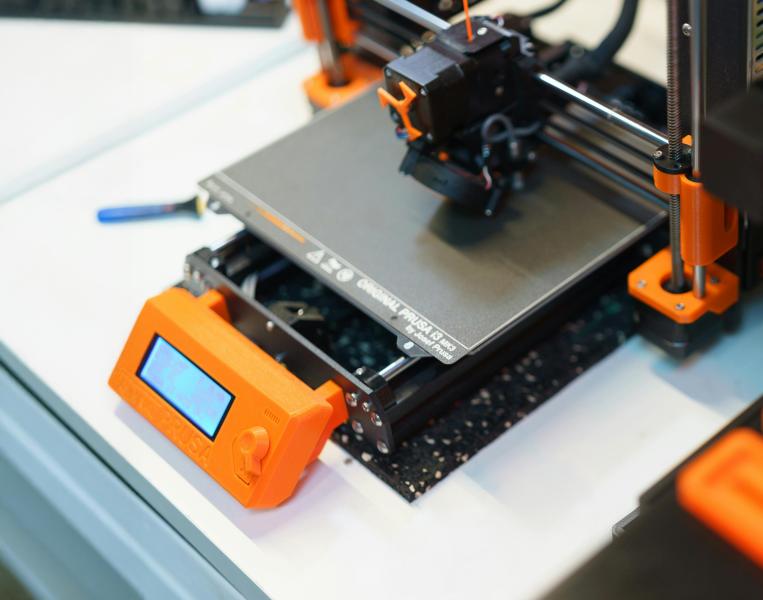
- 5 Prusa MK4: single head, print bed size of 8"x8"x9"
- 1 Prusa XL: Large-scale CoreXY 3D printer, 5 independent toolheads. 14.17''×14.17''×14.17''
- FormLabs Resin Printer: High-definition resin printing. ($0.25 per milliliter)
- Faculty, staff, and students will not be permitted to use the 3D printers to create materials and/or objects that are any of the following:
- Prohibited by local, state, or federal law
- Unsafe, harmful, dangerous, or obscene
- In violation of intellectual property rights (e.g., the printers cannot be used to produce copyrighted, patented, or trademarked material)
- Resemble weapons of any kind.
- The 3D print lab reserves the right to refuse any 3D print request.
- Printed items not picked up within 10 business days become the property of the 3D print lab for display purposes; items must be picked up by the individual who requested them.
- Prints often require support material to be printed. Supports are the responsibility of the 3D print technicians to remove (unless otherwise noted). Any other finishing touches (e.g., sanding, painting, and assembling) are the requester’s responsibility.
- Users must submit complete files ready for 3D printing.
- All requests must be done via web submission, with a valid university account.
- Users will see increased wait times at the end of each semester due to increased demand volume—we recommend submitting requests ahead of this time frame.
All charges for requests will be deducted from your PaperCut account balance, shared with paper printing. Pricing ranges from 10 cents per gram for single-color plastic prints to 20 cents per gram of filament. Your balance will be refilled every semester and can be increased beyond the standard semester allotment by visiting the Office of the Bursar. Scanning services are available at the Digital Arts + Humanities Lab. See the equipment list for details.
Begin the printing process by submitting a request using the website submission form. The standard file types for 3D printing are .STL or .OBJ. Once your request has been submitted a technician will respond with a price estimate for your print. Your print will be added to the queue once you have confirmed the cost. If you do not confirm the cost, your print request will not be fulfilled. When your print is completed you will receive an email from a technician notifying you it is done and ready for pickup. Your PaperCut will be charged upon completion of the print. Once the print is completed you will have seven business days to pick up your print.
- 5 Prusa MK4: single head, print bed size of 8"x8"x9"
- 1 Prusa XL: Large-scale CoreXY 3D printer, 5 independent toolheads. 14.17''×14.17''×14.17''
- FormLabs Resin Printer: High-definition resin printing. ($0.25 per milliliter)

Esports & gaming Lab
A competitive gaming lab open to all.
Launched by the university in 2020, the esports program has experienced exponential growth. The lab used for esports—equipped with computers capable of handling heavy gaming—is open to students during the day.